
Is Your Health App Data Private? A Practical Guide to Protecting It
Nutrition and fitness apps hold some of your most personal data. Here is what they collect, where it can leak, and five practical ways to keep it private - including a VPN.
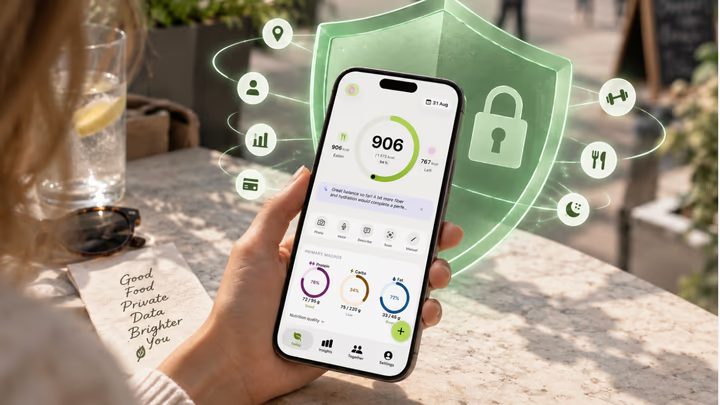
The apps on your phone that track what you eat, how far you run, and how much you weigh know you better than almost anything else you own. A nutrition log is a diary of your habits. A step counter is a map of where you go. Put them together and you have an unusually intimate portrait of a person - one that is worth real money to advertisers, data brokers, and, occasionally, to whoever ends up on the wrong side of a data breach.
None of that means you should stop tracking. The health benefits of knowing your numbers are well established, and the fix is not to quit - it is to be deliberate about where your data goes. This guide covers what your health apps actually know, where that information can end up, and five concrete steps to lock it down.
What your health apps actually know about you
It is easy to think of a calorie app as “just numbers.” In practice, the data these apps touch is remarkably revealing:
- Body metrics - weight, height, body-fat estimates, and goals, often logged over months so the trend itself is visible.
- Diet and behavior - every meal, every skipped one, alcohol, late-night snacking, and patterns that hint at health conditions you have never told anyone.
- Location and routine - workout GPS routes, gym check-ins, and the times of day you are active or asleep.
- Identity and device - email, sign-in provider, device identifiers, and IP address, which is enough to tie all of the above to the real you.
Individually, each field seems harmless. Combined, they are exactly the kind of profile that data brokers assemble and sell - and the kind that becomes a liability the moment a server is misconfigured or a company is acquired and its privacy policy quietly changes.
Where health data can leak
Your data does not have to be “hacked” in a dramatic sense to end up somewhere you never intended. The common paths are mundane:
- Third-party trackers and ad SDKs baked into free apps, which phone home with usage data by default.
- Data brokers that buy, merge, and resell app data into marketing and risk-scoring profiles.
- Breaches - health and fitness platforms are a repeat target precisely because the data is sensitive.
- Unsecured networks - on public Wi-Fi at a gym, cafe, or airport, anyone on the same network can attempt to intercept traffic that is not properly protected.
Five ways to keep your health data private
1. Audit app permissions
Open your phone’s privacy settings and review what each health app can access. A calorie tracker needs your camera to photograph meals; it almost certainly does not need your contacts or your precise background location. Revoke anything that is not essential to the feature you actually use.
2. Limit account linking
“Sign in with” buttons are convenient, but every link is another company that learns you use the app. Where you can, use a plain email sign-in, and keep your fitness, nutrition, and social accounts from cross-pollinating.
3. Use strong, unique passwords and 2FA
A password manager plus two-factor authentication is the single highest- leverage habit for protecting any account, health apps included. It turns a breach at one service into a contained problem instead of a master key to your whole digital life.
4. Be careful on public Wi-Fi
The network at your gym or local cafe is shared with strangers. Logging your workout or checking your weigh-in there means your traffic crosses a network you do not control. This is the single most common everyday moment where health data is exposed - and it is the one a VPN solves directly.
5. Encrypt your connection with a VPN
A VPN (virtual private network) wraps everything your phone sends in an encrypted tunnel and hides your IP address from the sites and networks you connect to. On public Wi-Fi, it means the person two tables over cannot read your traffic. Everywhere else, it means your internet provider and the ad networks cannot quietly log which apps and sites you use. For health data specifically, that encrypted tunnel is the difference between “private by default” and “private only if every app behaves.”
How a VPN protects your health data - and what to look for
Not all VPNs are equal, and a bad one can be worse than none (a free VPN that logs and sells your traffic is just another data broker). A VPN worth trusting with health data should have four things:
- A genuine no-logs policy - it should not record what you do, so there is nothing to leak or hand over.
- Modern, fast encryption - a current protocol like WireGuard so protection does not come at the cost of a slow connection.
- A kill switch - if the VPN drops, your traffic is blocked rather than silently falling back to the open internet.
- Multi-device coverage - your phone, laptop, and tablet all protected under one plan.
Full disclosure: the team behind Cibo also builds a VPN, Tunari VPN, so we are biased - but it is built to exactly that checklist, which is why we are comfortable recommending it here. It runs on WireGuard for speed with AES-256 encryption and a strict no-logs policy, includes an automatic kill switch, and covers up to 10 devices on a single subscription across iOS, Android, Windows, and macOS. Servers span eight regions - New York, Los Angeles, London, Frankfurt, Singapore, Tokyo, Mumbai, and Sydney - so you can stay protected without tanking your speeds. There is a 7-day free trial with no credit card and a 30-day money-back guarantee if it is not for you.
Protect the connection behind your health data. Try Tunari VPN free for 7 days - no card required - and keep your tracking private on any network.
Related reading: if you are re-evaluating your tracker anyway, see what changed in MyFitnessPal's pricing and how Cibo, Cronometer and MacroFactor compare. And if you are starting fresh, set your baseline with the TDEE calculator.
Privacy is part of being healthy
Taking care of your body and taking care of your data are not separate projects. The same instinct that makes you log an honest meal - wanting an accurate picture of your own life - is worth extending to who else gets to see that picture. You do not need to become a security expert. Audit your permissions once, turn on 2FA, be wary of public Wi-Fi, and put an encrypted tunnel between your health apps and the networks they run on.
That is the standard we hold ourselves to with Cibo: tracking that earns your trust by respecting the data you give it. Log your meals from a photo, watch your trends, and do it knowing the connection underneath is yours alone.
Not medical advice. Cibo is a nutrition-awareness tool, not a medical device. Read the full disclaimer.
Build healthier habits with Cibo
Nutrition made simpler for everyday life.


