
Scan Food Barcodes: 6 Quick Fixes and Why Calories Are More Reliable
See when barcode scans are reliable, what they miss, and how to pick and use apps. Includes six quick scanning fixes and simpler logging options for...
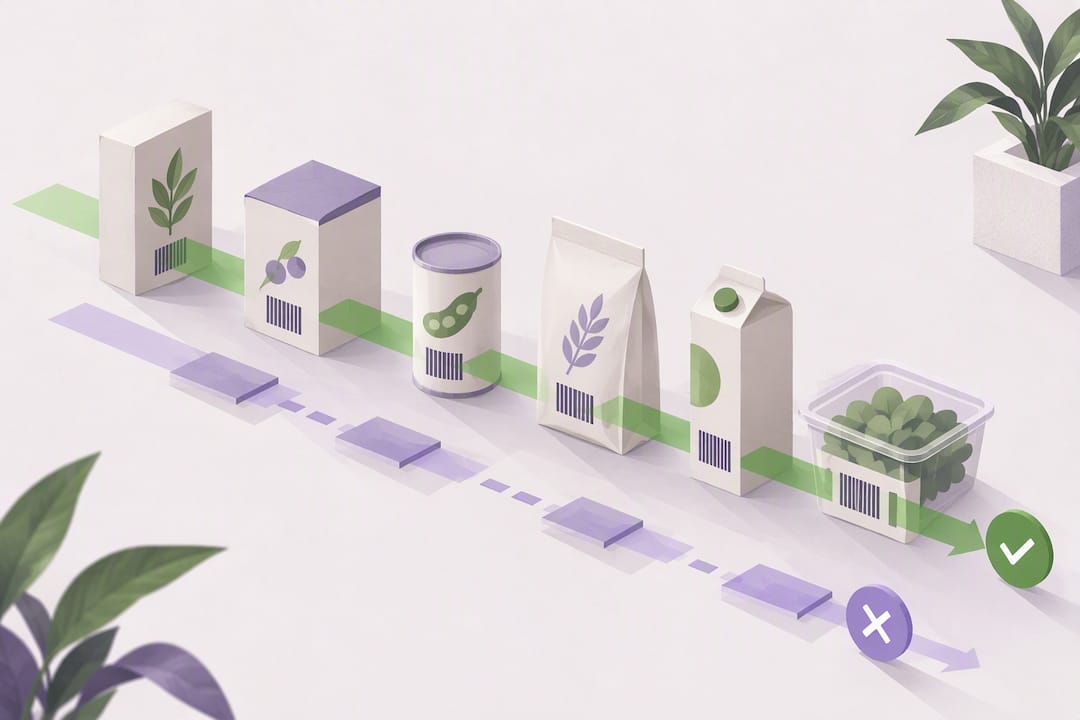
Yes, barcode scanning apps can give you an instant nutrition and health-impact snapshot, but their coverage and nutrient accuracy vary, so they’re best used for quick checks. When a number matters, like sugar content for a medical condition or protein for a strict macro goal, cross-check it against the package label or a source like USDA FoodData Central.
TL;DR:
- Barcode scanning apps generally provide reliable calorie counts but often lack accuracy and coverage for micronutrients and unbranded or regional foods.
- The quality and scope of nutrition data depend heavily on the app’s database sources, with branded feeds offering more validation than crowdsourced options.
- Users should verify portion sizes, package details, and nutrient figures, especially when tracking specific nutrition goals or managing health conditions.
- Scanning is most effective for packaged foods; unbranded items like produce or homemade meals are better logged through photo or manual entry.
- Testing multiple apps with your regular groceries helps identify the best coverage and accuracy for your shopping habits.
Cibo estimates calories, macros, and portions from meal photos, helping you track foods that barcode scanners may miss.
Try CiboHow a barcode scan turns into a nutrition record
A barcode itself holds no nutrition information. It’s just a UPC or EAN number, a product identifier. When your phone’s camera reads that code, the app sends it to a database that matches the number to a specific product and pulls back whatever nutrition data is attached to it. The quality of what you see depends entirely on that database.
Several types of sources feed these lookups:
- Branded data feeds such as GDSN, Brandbank, or Label Insight, which retailers and manufacturers supply directly.
- Partner networks like FoodSwitch, which license branded data to build consumer-facing tools.
- Open, crowdsourced databases such as Open Food Facts, where volunteers photograph and submit product details.
- Reference composition data from USDA FoodData Central, used for unbranded or generic foods when no branded match exists.
Coverage shifts depending on where you shop and live. A product common in one country’s grocery chain might be missing entirely from a database built around another region’s retailers, and private-label items are often the weakest spot.
What a scan actually shows you, and where it falls short
Most scanning apps return a mix of outputs built from the same underlying record:
- An overall health score or rating meant to simplify the decision.
- A Nutri-Score or traffic-light grade for sugar, salt, and fat.
- A full nutrient table covering calories, protein, carbs, and fat.
- Additive or allergen flags pulled from the ingredient list.
- Suggested swaps for a similar but better-scoring product.
A peer-reviewed quality assessment of labeled food product databases found that identification accuracy and nutrient-value availability vary a lot between apps, and that energy values tend to be more consistent across apps than detailed nutrient breakdowns like protein or sugar. In other words, the calorie count you see is usually reliable, but a specific micronutrient figure deserves a second look if it matters to you.
Coverage gaps follow a predictable pattern. Private-label groceries, regional products, anything from the produce aisle, and brand-new SKUs are the items most likely to come back blank or mismatched. Crowdsourced databases help close some of these gaps since anyone can add a missing product, but that openness is a trade-off: wider coverage often comes without the professional validation that a branded feed goes through before publication.
What to look for when picking a barcode-scanning app
Not all scanning apps are built the same way, and the right one depends on what you’re trying to accomplish. A few checks before you commit to one:
- Data-source transparency. Look for apps that name their suppliers, whether that’s Brandbank, FoodSwitch, Open Food Facts, or USDA, rather than staying vague about where the numbers come from.
- Regional coverage. Scan a handful of your usual grocery staples, including any private-label items, before trusting the app for your weekly shop.
- Portion handling. Check whether the default serving size matches the package and whether you can edit it when it doesn’t.
- Privacy practices. Some apps store or share your scan history, so it’s worth knowing what happens to that data before you link it to anything.
- Extra features. Allergen flags, swap suggestions, and the ability to log by photo when a barcode fails all add practical value for everyday use.
Our internal comparison of barcode scanning tools and their recent paywall changes walks through how some popular apps have shifted access to this feature, which is worth knowing before you build a routine around one.
Pro Tip: Scan a set of your regular products across a few apps before choosing one. Differences in coverage and nutrient detail usually appear quickly.
How to scan a barcode without the headaches
A few habits make the difference between a clean scan and a frustrating retry loop:
- Hold the phone steady and keep the barcode flat, not curved around a can or bottle.
- Avoid glare by angling the package slightly away from overhead lights.
- Give the camera a moderate distance, close enough to fill the frame but not so close it can’t focus.
- If the scan fails, type the UPC number manually or search the product name instead.
- If the product still doesn’t show up, consider adding it to an open database like Open Food Facts for the next shopper.
- Before accepting the result, confirm the package size and flavor variant match what the app pulled up, since similar products often share a near-identical barcode format.
Once the entry loads, adjust the portion size to match the package label rather than accepting the app’s default serving. For anything involving allergens, ingredient order, or an exact serving size, the printed label is always the final word. Apps are a fast filter, not a replacement for reading the package when it counts.
Where Cibo fits for the items a barcode can’t catch
Barcode scanning works well for packaged groceries, but it has nothing to say about a sandwich made at a deli counter, a restaurant plate, or a piece of fruit with no label at all. That’s where photo-based logging fills the gap. We support barcode entry alongside AI photo logging, voice, and text, so a scan handles the packaged stuff and a quick photo covers what doesn’t.
- Instant calorie and macro estimates from a photo, voice note, or text entry.
- A daily balance view that tracks progress against your own goal.
- Syncing features and options for tracking alongside a partner or friend.
Reference pages like Cibo’s apple entry, sourced from USDA data, show the kind of unbranded food detail that barcodes typically can’t provide on their own.
Where scanning earns its place in your routine
Barcode scanners are genuinely useful for speed: a quick allergy check in the aisle, a fast comparison between two similar products, a traffic-light glance before you toss something in the cart. Where they fall short is precision, especially for nutrients that vary app to app or products that haven’t made it into any database yet. The practical move is to let a scanner handle the fast decisions and lean on a photo log or a USDA lookup when the number actually needs to be right.
A simpler way to log what scanners miss
Pairing a barcode scanner with a tool built for the gaps, fresh produce, deli counters, homemade meals, makes everyday tracking far less tedious. We add barcode entry, AI photo logging, voice, and text in one place, with a 7-day trial, then a subscription for more AI logs than the basic tier’s monthly allowance.
- Log packaged food by barcode and everything else by photo, voice, or text.
- Sync progress with Apple Health or Google Health Connect and share accountability through Together mode.
Try the Cibo calorie tracker on iOS or Android to see how the two methods work side by side.
FAQ
What is the best food scan app?
There isn’t one universally “best” app, since accuracy and coverage depend on your region and the grocery brands you buy. Look for one that names its data sources, such as Brandbank, FoodSwitch, or Open Food Facts, and test it against your usual shopping list before relying on it.
How do I scan a barcode on food?
Open your chosen app’s scanner, hold the package steady with the barcode flat and well-lit, and let the camera focus from a moderate distance. If the scan doesn’t register, try typing the UPC number manually or searching the product by name instead.
Is the Yuka app really accurate?
Accuracy for any scanning app depends on the database behind it, and independent research on labeled food product databases has found that identification and nutrient-value accuracy vary across apps, with energy values generally more reliable than detailed nutrient breakdowns. Treat any single app’s score as a useful starting point, not a final word, and check the package label for details that matter most to you.
Which app should I use to scan barcodes?
The right choice depends on what you need most: a fast health score, detailed nutrient data, or wide product coverage in your country. The NHS Food Scanner is a well-documented option that draws on Brandbank and FoodSwitch data and offers a straightforward scan-swipe-swap flow for healthier choices.
Sources
- Food identification by barcode scanning: a quality assessment of labelled food product databases underlying popular nutrition applications
- NHS Food Scanner app - Healthier Families - NHS
- USDA FoodData Central
- Open Food Facts - Apps on Google Play
Recommended
Not medical advice. Cibo is a nutrition-awareness tool, not a medical device. Read the full disclaimer.
Build healthier habits with Cibo
Nutrition made simpler for everyday life.


