
Apple Watch Calorie Tracking: What It Counts and What It Misses
Your Apple Watch tracks calories burned, not calories eaten. Learn how accurate it is and how to pair it with food logging for a full picture.
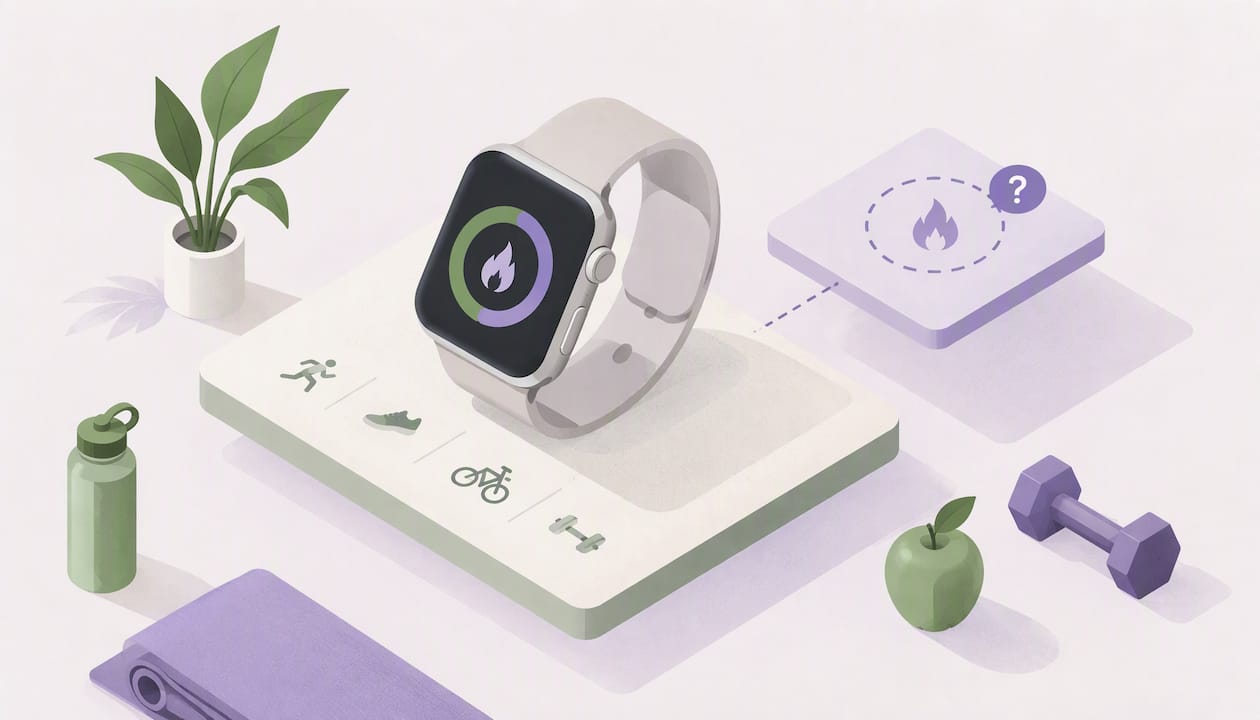
Your Apple Watch tracks the calories you burn. It does not track the calories you eat. To see both sides of the equation, you need a food-logging app that writes your intake to Apple Health, and you need to treat the watch’s burn number as an estimate, not a measurement.
That is the short version. Below, we walk through what the watch actually counts, how far off it can be, how to connect food logging to it, and how to use the two numbers together without driving yourself crazy.
Cibo logs meals by photo, voice, text, barcode or manual entry, then shows calories and macros against your personal goal.
Get the AppTL;DR
- Apple Watch measures calories burned (Active plus Resting). It has no built-in way to log calories eaten.
- A 2025 meta-analysis found energy expenditure errors averaging about 28%, far worse than heart rate or steps. Use the number for trends, not exact math.
- Food-logging apps write “Dietary Energy” and macros to Apple Health, which is how intake and burn end up in one place.
- Log meals consistently, set a goal based on your own numbers, and judge progress over weeks, not single days.
- If you have a medical condition, talk to your doctor or a registered dietitian before changing how much you eat.
What Apple Watch actually tracks
Apple Watch reports two kinds of calories. According to Apple’s own technical paper on heart rate, calorimetry and activity, Active Calories are the energy you burn through movement, and Resting (or passive) Calories are the energy your body uses just to stay alive: breathing, circulation, keeping warm. Add them together and you get your total energy burned, which you can see in the Fitness app on your iPhone.
Here is how that looks in daily use:
| Metric | What it means | Where you see it |
|---|---|---|
| Active Calories | Energy from walking, stairs, workouts, chores | Move ring on the watch, Fitness app |
| Resting Calories | Energy your body burns at rest | Fitness app, Health app |
| Total Calories | Active plus Resting | Fitness app on iPhone |
The ring you close every day is based on the first row only. Apple describes the Move ring as reaching your personal goal of active calories burned, whether that comes from taking the stairs at work or a full workout. If you want a walkthrough of where each number lives on screen, 9to5Mac’s guide to active, passive and total calories covers it step by step.
This is also why so many people are confused by the watch showing 150 calories in one place and 100 in another. They are usually looking at Total versus Active. Neither number is wrong. They answer different questions.
Why you can’t see calories eaten on your watch
This is the most common frustration, and it is not a setting you missed. Apple does not ship a dedicated food-logging app. Apple Watch is a sensor: it measures what your body does. It was never designed to be a nutrition coach.
That gives you two halves of one picture:
- Output (burn): measured by the watch from heart rate, motion and the personal details you entered during setup.
- Input (intake): logged by you, in a third-party app.
Apple Health does not subtract one from the other on its own. According to Bento Bunny’s explainer on what Apple Fitness tracks, Health only shows a combined view when a food-tracking app writes your eaten calories into it. Many people assume the subtraction happens automatically. It does not, unless the app you use writes Dietary Energy to Apple Health.
So if you open Health and see no food data, the fix is simple: pick a logging app, give it permission to write to Health, and check that the permission toggles are on under Health, then Sharing, then Apps.
How accurate are Apple Watch calories?
Honest answer: good for direction, shaky for precision.
A 2025 systematic review and meta-analysis in Physiological Measurement looked at how well the Apple Watch measures health metrics. Heart rate was very accurate, with a mean absolute percentage error of 4.43%. Step counts came in at 8.17%. Energy expenditure, the calorie number, was the weak spot at a mean error of 27.96%, and every subgroup in the analysis exceeded the 10% validity threshold the researchers used.
In plain terms: if your watch says you burned 500 active calories, the real figure could plausibly be a good deal higher or lower. Researchers quoted in a University of Michigan study summary on MedicalXpress suggest treating calorie-burn estimates as a guide for motivation and habit tracking, not as a precise truth.
That does not make the watch useless. The heart rate sensor underneath is solid, and a review of Apple Watch heart rate accuracy for coaches is a useful read if you want to understand why the raw signal is trusted more than the calorie math built on top of it. The calorie figure is an estimate made from that signal plus your age, weight, height and sex.
Small things that improve your estimate
- Keep your health details current. Update your weight in the Health app when it changes. The watch uses it for every calculation.
- Wear the watch snug, a finger-width above the wrist bone, especially during workouts. A loose band hurts heart rate readings.
- Calibrate outdoors. Apple recommends walking or running outdoors with your iPhone so the watch can learn your stride. It helps distance, pace and calorie measurements.
- Start workouts from the Workout app, choosing the right activity type, instead of relying on automatic detection.
- Compare week to week, never one day against another.
The intake side is where precision pays off
Here is the useful way to look at it. If the burn side carries a wide margin of error, the intake side is where you can actually be careful. You control what goes on the plate, and you can look up what is in it.
For food, the most reliable reference in the US is the government’s USDA FoodData Central, the database that many nutrition tools build on. As a concrete example, a medium apple (182 g) comes in at 95 calories. Knowing a number like that is solid. Guessing whether a hike burned 400 or 600 calories is not.
This changes how you should spend your attention:
- Burn: glance at it, trust the trend, ignore the decimal points.
- Intake: log it honestly, weigh or measure when it matters, and use a database you trust.
If you want a refresher on finding reliable numbers, our guide on finding food calories with USDA data walks through it in seven steps. Packaged foods are even easier: scanning a barcode pulls the label values for you, and that post covers the quick fixes for the times a scan fails.
How to connect food logging to Apple Watch
You do not need special hardware. You need an app that talks to Apple Health. Here is the setup:
- Install a food-logging app on your iPhone and open it once so it can ask for permissions.
- Allow it to write to Apple Health, at least Dietary Energy, Protein, Carbohydrates and Total Fat. Allow it to read Active and Resting Energy if you want the app to show a balance.
- Log a meal and open Health, then Browse, then Nutrition, to confirm the entry appeared.
- Wear the watch as usual so Active and Resting Energy keep flowing in.
- Check the next morning that yesterday’s intake and burn both show up. If intake is missing, revisit the permissions in step 2.
The Athlytic help center notes that missing or wrong intake numbers in a connected app usually come down to data not syncing properly with Apple Health, which is why checking permissions is the first fix to try.
One caution on expectations: logging apps run on your iPhone, and what you see on the watch face depends on what the app offers there. Do not judge a tracker only by whether it has a watch screen. Judge it by how easily you can log a meal and whether the data lands in Health.
A worked example of putting both numbers together
Let’s say it is Thursday. Your watch shows 2,300 total calories burned (say 1,700 Resting plus 600 Active). Your logging app shows you ate 2,000. On paper, you are 300 under.
Now apply some honesty to the burn side. Given the error range above, that 600 Active could be meaningfully off. So do not treat the 300 gap as a promise. Treat it as “roughly at maintenance or a little under.”
Then look at the pattern:
- If you hold similar intake for two or three weeks and your weight on the scale (same time of day, same conditions) drifts down slowly, your setup is working.
- If nothing changes for three weeks, adjust intake by a small amount, not a dramatic cut, and wait another couple of weeks.
- If it moves faster than you expected, or you feel run down, ease up and consider checking in with a dietitian.
The scale and your logged intake are your real calibration tools. The watch is the background sensor.
Should you eat back your exercise calories?
It depends on your goal, and the safest answer is: not all of them, and not blindly. Because watch estimates can run high or low, many people choose a daily intake target from a calculator and then keep it steady, using the watch only to see whether a week was active or lazy. Our TDEE and calorie calculators can give you a starting estimate, and our guide to macros for fat loss shows a calculator workflow built on USDA numbers.
Our perspective: log the food, glance at the watch
We build a calorie and macro tracker, so we spend a lot of time thinking about where people get stuck. The pattern we see in how people describe tracking is the same: they put the effort in the wrong place. They obsess over the burn number on their wrist, which is an estimate, and then skip logging a snack because it feels like too much work.
Our view is the opposite. Make food logging so quick that you actually do it: a photo of the plate, a short voice note, a typed line, a barcode scan. Check your calories and protein, carbs and fat against a goal that fits your life. Then let the watch do what it does best, which is keep you moving and show the trend.
And if you track with someone, it gets easier. A partner or a friend who can see your day, and cheer when you hit your target, turns a chore into a shared habit. Accountability beats willpower on a Tuesday night.
Make logging fast enough to keep doing
The most accurate method is the one you will still use in week six. If you are a busy professional or you lift and count protein, speed matters more than perfection. Cibo lets you log a meal by photo, voice, text, barcode or manual entry, shows calories, protein, carbs and fat based on USDA FoodData Central, and compares your day to a personal goal. It runs on iPhone and Android, and the pricing is a 7-day trial, then subscription: Cibo Pro is $39.99 per year on iOS and Android, or monthly at $6.99 on iOS and $4.99 on Android. You can see the options on the pricing section.
Tips for getting the most from the pairing
These are the habits that make the watch-plus-logging combo work in real life.
- Use visual anchors when you can’t weigh food. A palm is about one serving of protein, and a deck of cards is about 3 oz of meat. It is not exact, but it beats guessing blind.
- Log before you eat, not at the end of the day. Memory fades quickly, and portions get smaller in your head.
- Do the same for restaurant meals. Pick the closest match and portion it honestly. Our post on macro-friendly restaurant orders shows five easy orders and how to log them.
- Look at weekly averages, not daily scores. One high day does not cancel a good week.
- Set protein first if you lift. Use a macro calculator to get daily grams of protein, carbs and fat, then adjust after a few weeks of real data.
- Track together if it helps. Together mode lets partners and friends follow each other’s progress side by side.
What to watch out for
A few traps catch almost everyone.
Double counting
If you log a workout in a food app and the watch also reports it, you may count the same activity twice. Pick one source of truth for burn, which is usually the watch via Apple Health.
Chasing the ring
The Move ring is a motivational tool. It is not a prescription for how much you should eat. Closing it is great for building a movement habit. It tells you nothing about whether you ate the right amount.
Treating the deficit as exact
With a roughly 28% average error on energy expenditure in the research above, a calculated deficit of a few hundred calories can disappear inside the margin. That is why we suggest trend-watching over exact math.
Skipping the doctor when it matters
If you are pregnant, managing diabetes, recovering from an eating disorder, or dealing with any other medical condition, calorie targets are a conversation for your doctor or a registered dietitian, not an app or a watch.
Quick checklist
- ☐ Health details (weight, height, age) are up to date in the Health app
- ☐ Watch fits snugly and is worn during workouts
- ☐ Food app has permission to write Dietary Energy and macros to Health
- ☐ You log most meals, even the messy ones
- ☐ You review the weekly trend on the same day each week
FAQ
Does Apple Health track calories eaten?
Not by itself. Apple Health stores calories eaten only when a third-party food-logging app writes Dietary Energy to it. Apple Watch contributes the burn side, Active and Resting energy, so the two only meet if your food app has permission to write to Health.
Why can’t I see my calories on my Apple Watch?
The watch shows calories burned, mainly Active Calories on the Move ring, and Total Calories in the Fitness app on your iPhone. Calories eaten are not part of the watch itself. If you expected a food total, you need an app that logs meals and syncs to Health.
Is Apple Watch calorie tracking accurate?
It is accurate for heart rate and reasonably good for steps, but not for calories burned. A 2025 meta-analysis found an average error of about 28% for energy expenditure. Use the number to compare your weeks, not to calculate an exact deficit.
What is the difference between active and total calories?
Active Calories are what you burn through movement. Total Calories add the Resting energy your body uses just to function. Your Move ring counts only Active Calories, which is why Total is always higher.
Sources
- Apple watch accuracy in monitoring health metrics: a systematic review and meta-analysis, Physiological Measurement
- Using Apple Watch to measure heart rate, calorimetry, and activity, Apple
- Apple Watch: Close Your Rings, Apple
- Apple Watch calories burned: active, passive, total, 9to5Mac
- Does Apple Fitness Track Calories?, Bento Bunny
- Wearable tech returns results of varying accuracy for fitness metrics, MedicalXpress
- Missing or Incorrect Calories, Athlytic Help Center
- USDA FoodData Central
Recommended
Not medical advice. Cibo is a nutrition-awareness tool, not a medical device. Read the full disclaimer.
Build healthier habits with Cibo
Nutrition made simpler for everyday life.


